
PHP: Directory Listing: Images
Following on from the article on Directory Listing, here's another simple PHP script to display the contents of a directory of images within an HTML page.
Extracting Images from a Directory
We first define the file types that we want to be recognised and displayed. There's no reason why this couldn't be done within the function itself (below) but having it separate makes it easier to update.
<?PHP
  // image file types to display
  $imagetypes = ['image/jpeg', 'image/gif', 'image/png'];
?>
Then comes the main function. It takes a directory as an argument and returns a list of files who's type matches the above array. Also returned is the size of the image as calculated by getimagesize.
The function expects the variable passed to be the component of the path following the first /. For example "images" or "images/" would indicate the images directory at the root of the site.
It's always easier in PHP to work with absolute paths (starting from /) - especially when using mod_rewrite which can confuse relative file paths.
<?PHP
  // Original PHP code by Chirp Internet: www.chirpinternet.eu
  // Please acknowledge use of this code by including this header.

  function getImages($dir)
  {
    // array to hold return value
    $retval = [];

    // add trailing slash if missing
    if(substr($dir, -1) != "/") {
      $dir .= "/";
    }

    // full server path to directory
    $fulldir = "{$_SERVER['DOCUMENT_ROOT']}/$dir";

    $d = @dir($fulldir) or die("getImages: Failed opening directory {$dir} for reading");

    while(FALSE !== ($entry = $d->read())) {

      // skip hidden files
      if($entry{0} == ".") continue;

      // check for image files

      $out = [];

      exec("/usr/bin/file -bi " . escapeshellarg("{$fulldir}{$entry}"), $out, $ret);

      if(0 == $ret) {
        $mimetype = $out[0];
      } else {
        continue;
      }

      foreach($GLOBALS['imagetypes'] as $valid_type) {
        if(preg_match("@^{$valid_type}@", $mimetype)) {
          $retval[] = [
           'file' => "/{$dir}{$entry}",
           'size' => getimagesize("{$fulldir}{$entry}")
          ];
          break;
        }
      }

    } // for each image file

    $d->close();

    return $retval;
  }
In practice, we would wrap the function into a PHP class and make $imagetypes a class variable, with it's own setter and getter methods. For debugging, remove the @ from @dir.
The file shell script called to find the mimetype will resolve to something like /usr/bin/file with the following man page extract:
NAME

     file — determine file type

OPTIONS

     -b, --brief
             Do not prepend filenames to output lines (brief mode).

     -i, --mime
             Causes the file command to output mime type strings rather than the more traditional human readable ones.  Thus it may say ‘text/plain;
             charset=us-ascii’ rather than “ASCII text”.
So on this server we could also expand the command to /usr/bin/file --brief --mime {$f} where $f is the full path to the file - properly escaped.
Formatting the Output
We can call the getImages function and display the results as HTML as follows:
<?PHP
  // fetch image details
  $images = getImages("images");

  // display on page
  foreach($images as $img) {
    echo "<img class=\"photo\" src=\"{$img['file']}\" {$img['size'][3]} alt=\"\">\n";
  }
?>
This HTML output can be easily formatted using CSS. Something like the following should give a decent effect:
<style>

  .photo {
    float: left;
    margin: 0.5em;
    border: 1px solid #ccc;
    padding: 1em;
    box-shadow: 2px 2px 3px rgba(0,0,0,0.2);
    text-align: center;
    font-size: 0.8em;
  }

</style>
As demonstrated here:
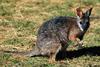


Or we can modify the output to also display the image filename and pixel dimensions:
<?PHP
  // fetch image details
  $images = getImages("images");

  // display on page
  foreach($images as $img) {
    echo "<div class=\"photo\">";
    echo "<img src=\"{$img['file']}\" {$img['size'][3]} alt=\"\"><br>\n";
    // display image file name as link
    echo "<a href=\"{$img['file']}\">",basename($img['file']),"</a><br>\n";
    // display image dimenstions
    echo "({$img['size'][0]} x {$img['size'][1]} pixels)<br>\n";
    // display mime_type
    echo $img['size']['mime'];
    echo "</div>\n";
  }
?>
If the images you want to display are very large, then you might want to look at using thumbnails that then link to the larger image, a fading slidshow or carousel. This is a more complicated process and beyond the scope of this article.
mime_magic bug
Some versions of PHP5 appear to have a bug relating to the mime_magic file and will return text/plain for all files. The work-around for UNIX-based systems is the following:
<?PHP
  // check for image files
  $f = escapeshellarg("{$fulldir}{$entry}");
  if(in_array($mimetype = trim(shell_exec("file -bi {$f}")), $GLOBALS['imagetypes'])) {
    $retval[] = [
     'file' => "/{$dir}{$entry}",
     'size' => getimagesize("{$fulldir}{$entry}")
    ];
  }
?>
This has now been incorporated into our function above, replacing mime_content_type. Another option for determining the mime type of a file is finfo_open(FILEINFO_MIME_TYPE).
Affected Windows users will have to rely on the file extension rather than the mime type.
Related Articles - Directory Listing
- PHP Directory Listing: Images
- PHP File Listing Class
- PHP Directory Listing using SPL
- PHP Directory Listing